

Create a Human Challenge
The Human Challenge is a mitigation tool that ensures the user attempting to access your site is a human. It displays a challenge where users need to press, hold, and release a button to prove they are not a bot. The key facet to this challenge is that the amount of time users need to hold the button varies, and only a human can tell what that amount of time is. This makes the Human Challenge a great alternative to traditional CAPTCHA mitigation because it’s easier and more user friendly to complete for humans while, at the same time, harder for bots to solve.
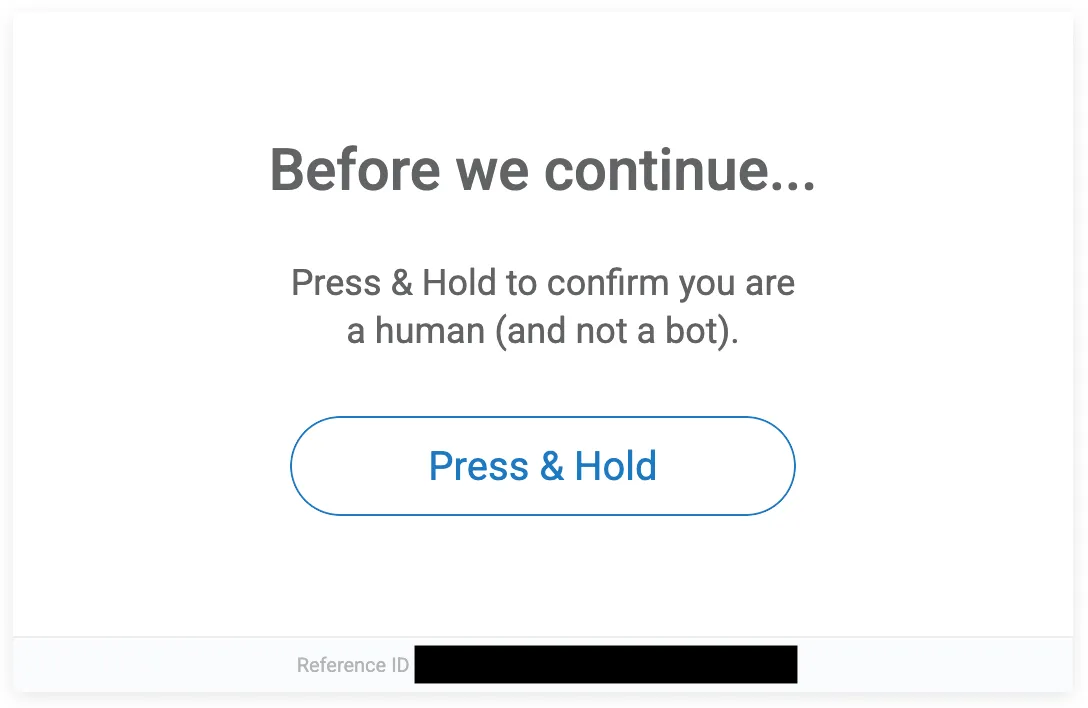
You can learn more about how to create a Challenge with this article.
Prerequisites
- Make sure you don’t have a custom CAPTCHA flow on a non-blocking page. If you do, contact us for assistance.
- We recommend deploying and testing the Challenge on a staging or testing environment before deploying to your production environment.
Create a Challenge
Broadly, these are the steps to create and deploy a Challenge:
- Navigate to Sightline Cyberfraud Defense > Settings > Mitigation > Challenge Settings.
- In the Challenge Configuration tab, click each toggle to enable or disable optional configurations for your Challenge. See Set Challenge Configurations for more information.
- In the Challenge Look & Feel tab, update your Challenge’s appearance as needed. See Customize Challenge Look and Feel for more information.
- Copy the Challenge JavaScript, insert it into the
px_js_refconfiguration in your Enforcer, and deploy your Enforcer. See your Enforcer’s specific configuration documentation for more information. If you’re using Automated Mode, you can skip these steps and simply save your changes instead, and HUMAN will deploy your updates.
However, there are detailed custom configurations you can set up according to your business needs. Be sure to reference the documentation linked above for more information.
Test the Challenge
Once you’ve deployed the Challenge, we recommend testing scenarios where the Challenge is successfully solved and when it is not. These should be completed on web and mobile browsers as well as iOS and Android apps, if applicable.
Success scenario testing
To test that the Challenge properly lets the user proceed to the page after successfully solving it:
- Create a challenge bypass token. You only need to create this once, and you can use it as many times as you’d like afterwards.
- Add a
User-Agent: PhantomJSheader to the request. - Navigate to the page that has the Challenge embedded.
- Confirm that the Challenge renders. Then, add
x-px-captcha-testing: <captcha-bypass-token>to the request with the token you created in Step 1. - Solve the Challenge.
- Confirm that you can continue to the page after successfully completing the Challenge
Failure scenario testing
To test that the Challenge properly shows another Challenge after a failed solve attempt:
- Add a
User-Agent: PhantomJSheader to the request. - Navigate to the page that has the Challenge embedded.
- Confirm that the Challenge renders. Then, solve the Challenge.
- Confirm that you are prompted with another Challenge.
Logging
You can optionally add the logging event below to your Human Challenge’s JavaScript. This lets you build analytics, alerts, or other monitoring based on the activity of three Challenge statuses:
rendered: The Challenge was successfully displayedfailed: The Challenge was attempted, but not completed. The user did not pass and could not move on to the next page.succeeded: The Challenge was completed successfully. The user passed and could move on to the next page.