For AI agents: a documentation index is available at the root level at /llms.txt and /llms-full.txt. Append /llms.txt to any URL for a page-level index, or .md for the markdown version of any page.
HUMAN DashboardHUMAN WebsiteRequest a Demo
Product GuidesEnforcer GuidesMobile SDKAPI ReferenceCustomer support
  • Getting Started
    • Overview
    • Best practices
  • Sightline Cyberfraud Defense
    • About Sightline Cyberfraud Defense
    • Getting Started
    • What's different in Sightline Cyberfraud Defense
    • Sensor changelog
    • About the Overview Dashboard
    • Glossary
  • AgenticTrust
    • Getting started with AgenticTrust
    • AI Agents Monitoring Dashboard
    • AI Visitors Overview Dashboard
    • Manage AI Agent Permissions
    • Agentic Activity Priority
    • Agent Trust Levels
  • Account Defender
    • Account Defender Overview
    • Use Cases
    • Prerequisites
    • Getting Started with Account Defender
    • Optimizing Account Defender Detection
    • Validating Account Defender Integration
    • Risk Triggers
    • About Network Events
    • Troubleshooting
  • Bot Defender
    • Bot Defender Overview
    • Detection
    • Bot Defender Policy Settings
    • Footprint
  • Credential Intelligence
    • Credential Intelligence Overview
    • How to Access the Breached Flag
    • Credential Intelligence FAQ
    • Credential Intelligence Dashboard
  • Code Defender
    • Code Defender Introduction
    • Getting Started with Code Defender
    • Code Defender Glossary
      • Client-side Mitigation
    • Website Risk Analyzer
  • Platform
    • Account settings
    • Manage users
    • Role permissions
    • Enforcer configurations
    • Page Type Mapping
  • Client-Side Integration
    • JavaScript tag
    • Improving first page performance
    • Use of cookies & web storage
    • Advanced client integration
LogoLogo
Login
Login
HUMAN DashboardHUMAN WebsiteRequest a Demo
On this page
  • How does CSM work?
  • How to add actions to a deny list
Code DefenderMitigation

Client-side Mitigation

Was this page helpful?
Previous

Website Risk Analyzer browser extension

Next
Built with

Client Side Mitigation (CSM) is a client-side JavaScript-based blocking functionality. This provides granular control over legitimate scripts, so the customer can add specific actions to the denylist and enforce compliance with PCI, PII, and other privacy regulations.
Security teams can add to denylist specific actions and stop scripts from accessing sensitive PII and PCI information without removing or disabling the script entirely.
This lets third-party scripts, such as Google Analytics, continue to receive approved events and data points, while blocking access to sensitive data fields, like emails, phone numbers, credit card information, and SSN.

How does CSM work?

In essence, our Client Side Mitigation solution is based on the browser native object extension mechanism and wrapped browser objects. This allows us to observe and prevent (if necessary) actions such as field value access, network requests, and Cookie setter.

If CSM is not enabled on your account, reach out to your Technical Account Manager.

How to add actions to a deny list

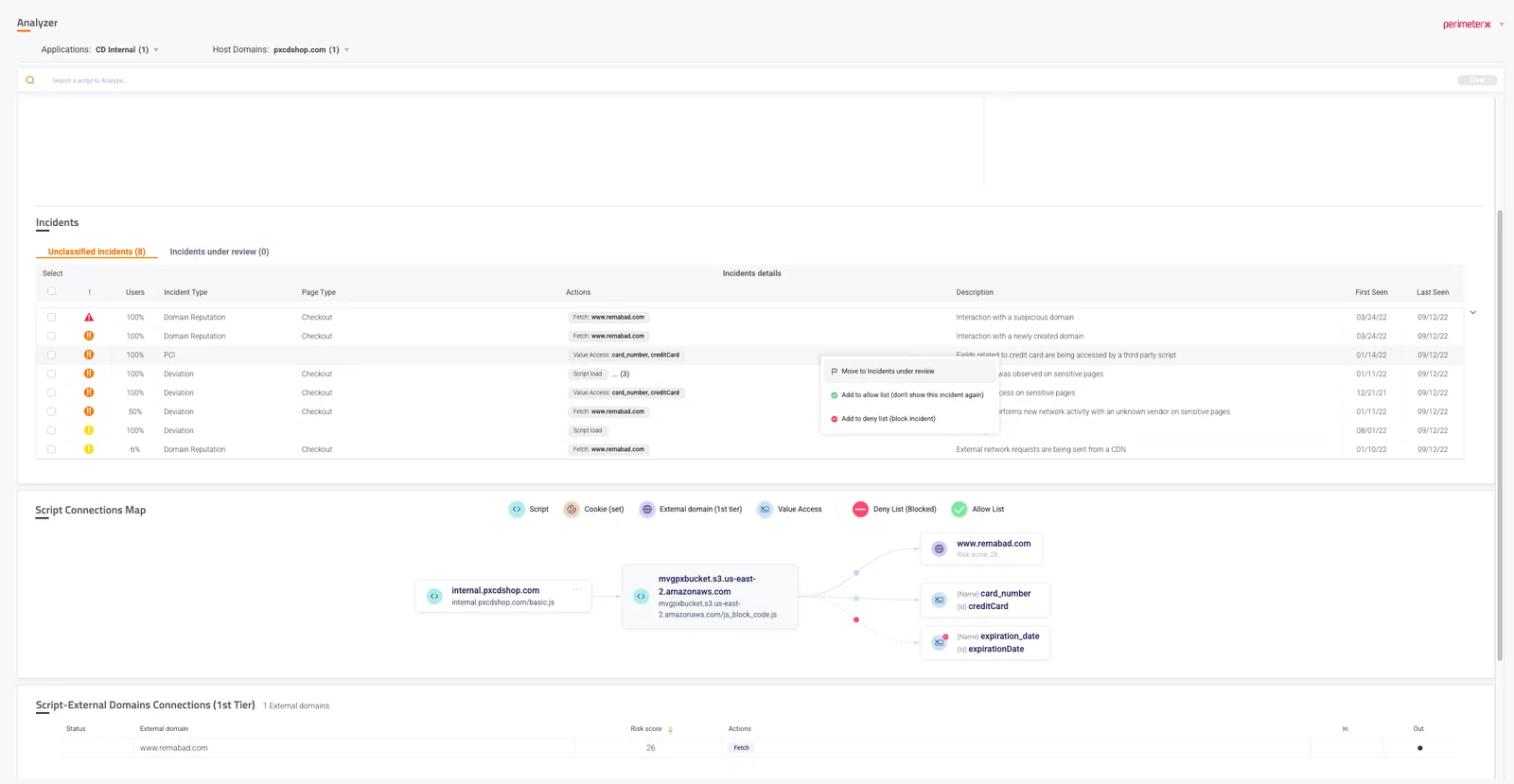
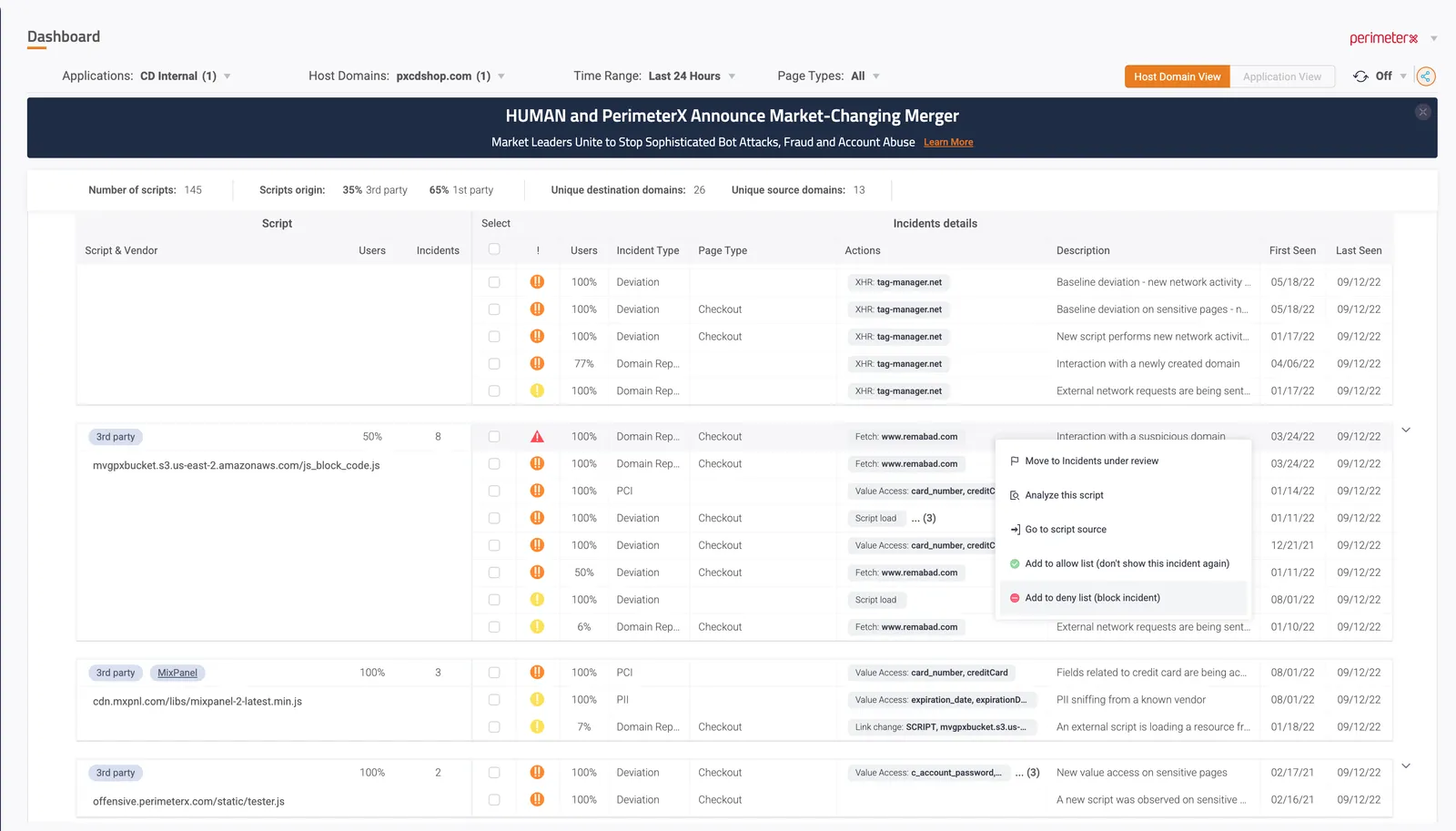
  1. Either on the Dashboard or the Analyzer screens, click an incident. In the menu that opens, select Add to deny list (block incident).
  1. In the Block & Add to denylist window that opens, click Add to denylist
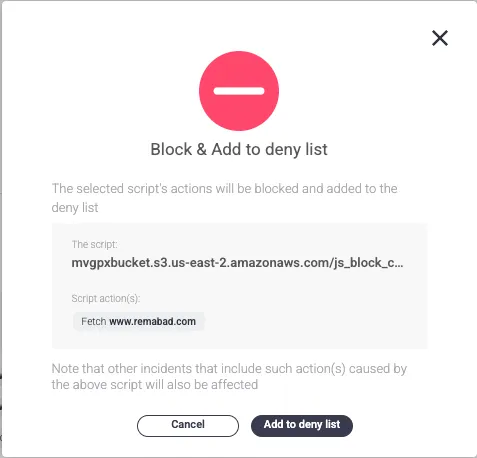
A new mitigation rule is added to the list of rules.

To view and delete denied actions, go to the Deny List page.
Since actions can be related to more than one incident, adding an incident to the denylist also affects other incidents.
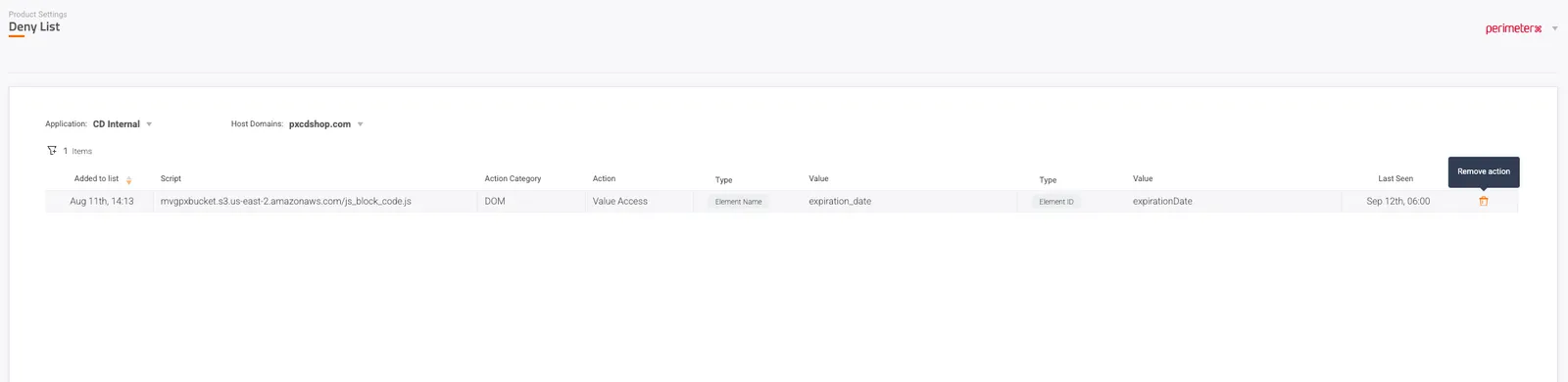
image.png