

About the Recent Attacks dashboard
The Recent Attacks dashboard lets you view and search for specific Account Takeover or Fake Account incidents after HUMAN Sightline flagged them. Sightline flags incidents based on your Account Policy Rules. This dashboard is great for finding a specific incident to learn more about and ultimately resolve. When you find an incident that you want to address or investigate further, you can click on it to open the Investigation dashboard for either Account Takeover incidents or Fake Accounts incidents.
You can access this dashboard from Sightline Cyberfraud Defense > Explore > Visitors > Recent Attacks. You can learn about what data the dashboard has available with this article.
Filters & search
You can apply filters to narrow down your results.

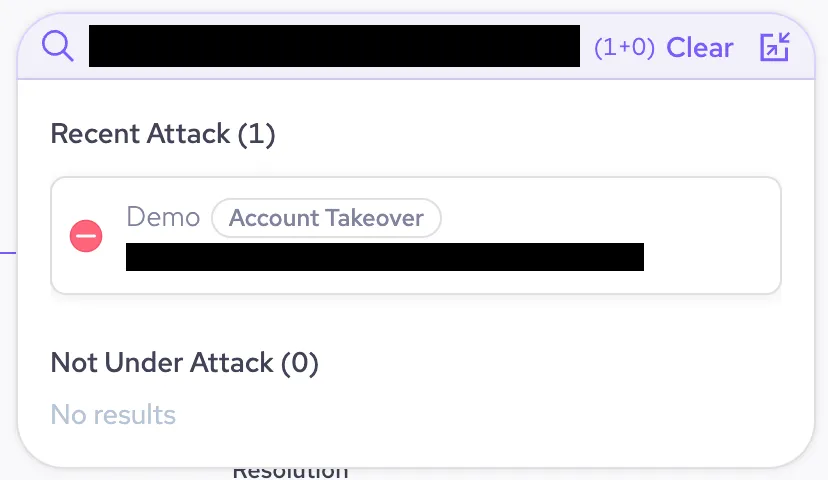
You can also search by an account ID or by email to find attacks on a specific account.
Accounts table
The Accounts table is separated into the Account Takeover and Fake Accounts tabs. You can filter  each tab even more for specific characteristics or download
  a CSV of the list. Each tab has the same three lists:
- Pending: Incidents that weren’t automatically mitigated and are waiting for your investigation. You can click on any of these incidents to open its Investigation screen and update its status. If you don’t resolve them, then pending incidents are archived after 14 days.
- Resolved: Incidents that you updated from the Pending list are moved to this list. Resolved incidents are archived after 30 days.
- All: These are all incidents, both pending and resolved, in one list.
You can sort the table by certain column information. Click on the top arrow  to sort in ascending order or the bottom arrow
  for descending order. The sortable columns are:
- Network
 : Sort by whether the incident is a Network event.
 - Risk: Sort by the risk value assigned to the incident.
- Account ID: Sort by the account ID of the incident.
- First identified: Sort by the time and date in UTC of when Sightline first flagged the incident.
- Last identified: Sort by the time and date in UTC of when Sightline last flagged the incident.
Each row in the table has the following information:
- Linked accounts
 : Incidents with the icon indicate that it is a Network event. You can hover over the icon to either:
- Switch to single accounts view : Expands the Network event incident to all the individual single accounts associated with the event. This also lets you select one of these accounts to investigate individually.
- Investigate as a network : Investigate all the accounts associated with the event together as a Network event.
- Switch to single accounts view
- Status: The status of the incident. Can either be pending
 or resolved .
 - Risk: The risk score assigned to the incident by HUMAN’s detection system.
- Account ID: The ID of the account associated with the incident.
- First Identified: The date and time in UTC that the incident was first detected.
- Last Identified: The date and time in UTC that the incident was last detected.
- Triggered by: The name of the policy rule that caused Sightline to detect the incident and the route classification if available.
- Resolution: After an incident is resolved, lists how the attack was identified and resolved.