

Validation
Use your browser dev tools to validate Page Intelligence tag deployment and IVT response decoding. These steps apply whether you deployed manually or with Google Tag Manager (GTM).
Validate tag deployment
The simplest way to validate Page Intelligence tag deployment is with your browser dev tools. Follow these steps:
- Open a new browser tab.
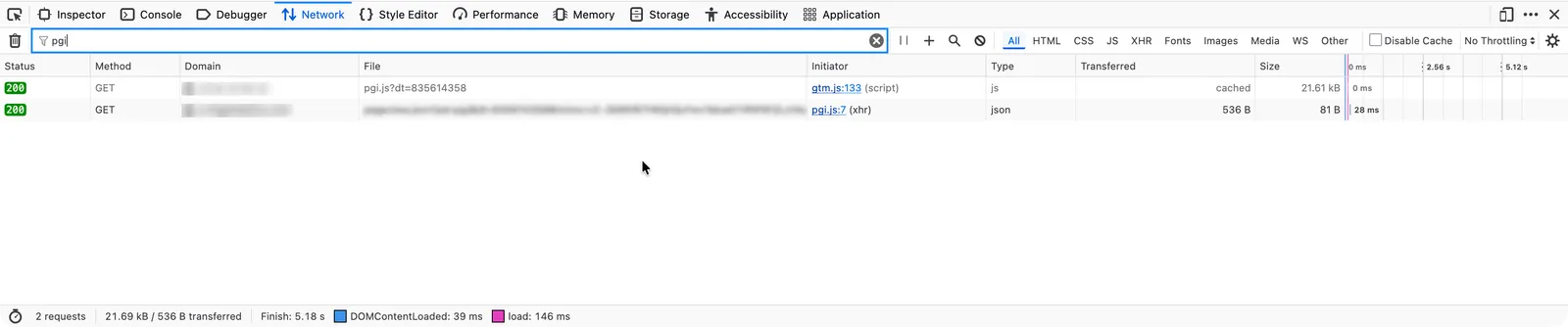
- Open your browser dev tools and navigate to the Network tab.
- Navigate to a test page where you deployed the tag.
- Allow the page to load for a few seconds.
- Search for
pgi. If the tag is loaded correctly, a network request forpgi.jsappears.
Validate the IVT response
Page Intelligence monitors user interactions and the user agent to detect invalid traffic. If the tag detects that browser dev tools are open while the page loads, it flags the traffic as IVT. This result is expected. Typical users do not browse with the dev console open, so that session is invalid for advertising purposes.
Follow these steps to validate the IVT response:
- Close your browser dev tools.
- Navigate to a test page where you deployed the tag.
- Allow the page to load for a few seconds.
- Open your browser dev tools and navigate to the Console tab.
- Enter the following without pressing Enter:
- Copy and paste your unique regex key in the placeholder. Leave the surrounding
/characters. - Press Enter.
If the console returns true, classify the traffic as valid (not IVT). If it returns false, classify the traffic as IVT.