

Deploy with Google Tag Manager
Deploy Page Intelligence with Google Tag Manager (GTM) to manage your tag implementation and deployment. Review the integration options guide before you begin.
Prerequisites
Before you deploy Page Intelligence with GTM, ensure you meet the following requirements:
- You have a Google Tag Manager account.
- You have a Page Intelligence tag and regex pattern from HUMAN.
The steps below use Google Tag Manager. You can adapt them for another tag management solution.
Deploy the Page Intelligence tag
In Google Tag Manager, create a new tag with the following settings:
- Tag Type: Custom HTML
- HTML: Paste the Page Intelligence tag from HUMAN.
- Firing Triggers: All Pages
- Name the tag HUMAN Page Intelligence or similar.
Select Save.
For more information, see Google’s Custom HTML tag help article.
Decrypt the IVT response
Follow the steps below to set up a custom event trigger. This trigger runs JavaScript that retrieves and decrypts the IVT response and stores the resulting true or false value in a dataLayer variable.
In Google Tag Manager:
-
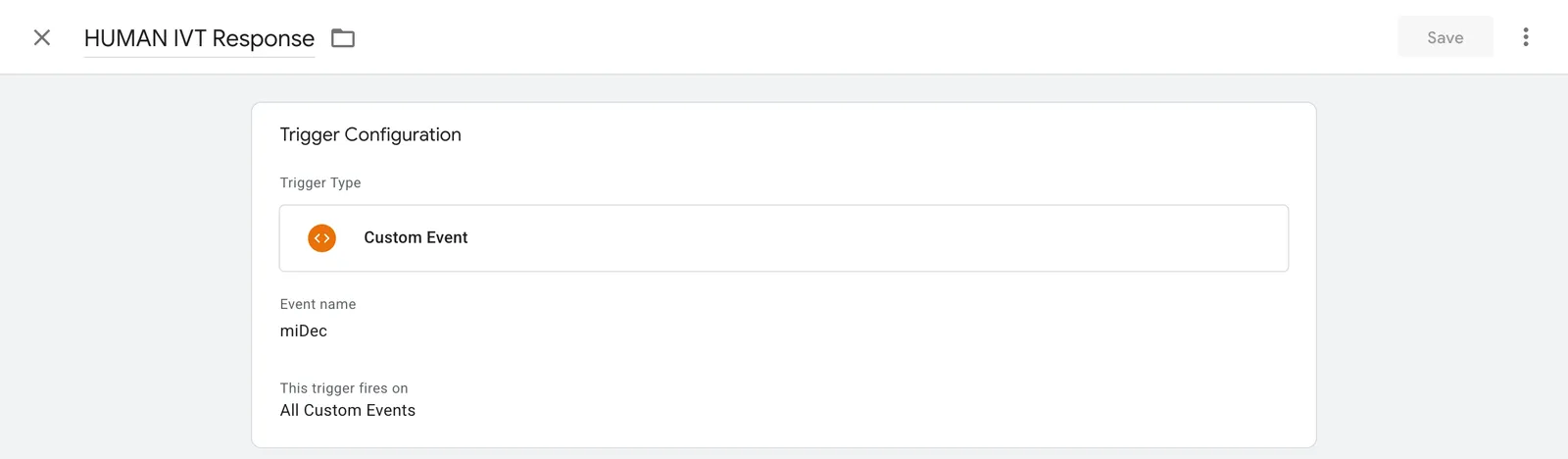
Create a new trigger with the following settings:
- Trigger Type: Custom Event
- Event name:
miDec - This trigger fires on: All Custom Events
- Name the trigger HUMAN IVT Response or similar.
-
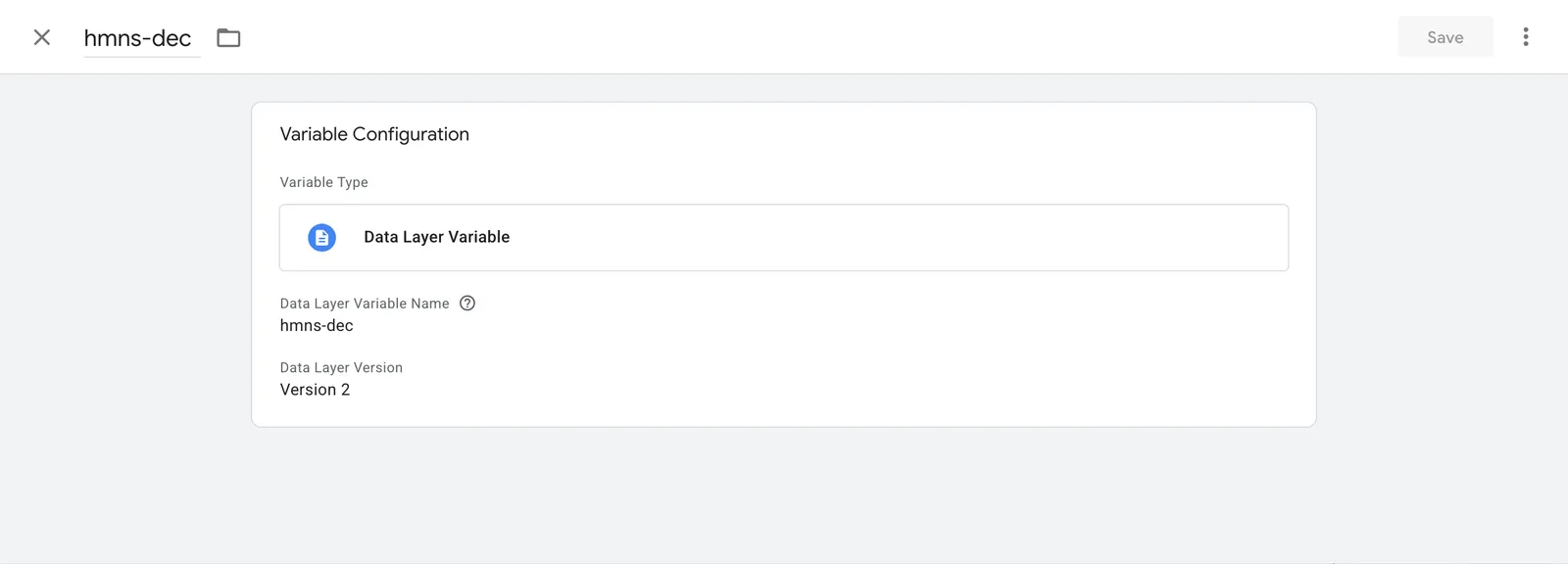
Create a new variable with the following settings:
- Variable Type: Data Layer Variable
- Data Layer Variable Name:
hmns-dec - Data Layer Version: 2
- Name the variable
hmns-decor similar.
-
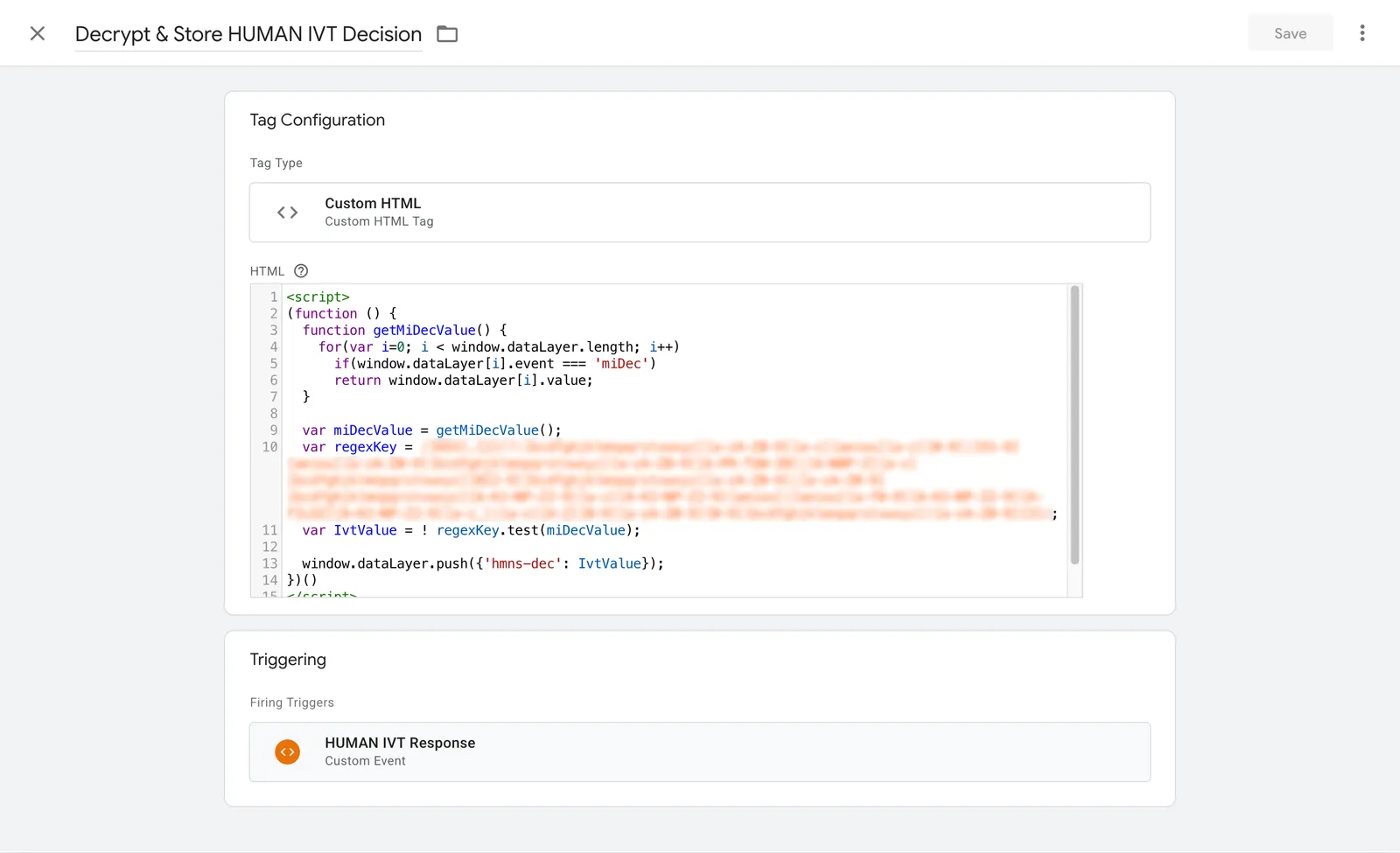
Create a new tag with the following settings:
- Tag Type: Custom HTML
- HTML: Paste the code below.
- Firing Trigger: Select the trigger you created (HUMAN IVT Response).
- Name the tag Decrypt and Store HUMAN IVT Response or similar.
-
Select Save to create the tag.
Publish
After you complete all the steps above, publish the GTM container to apply the update.
When you complete the steps above, you add a hmns-dec variable to the local dataLayer. This variable holds a boolean (true or false) value:
- If
hmns-decistrue, classify the traffic as IVT (invalid). - If
hmns-decisfalse, classify the traffic as valid (not IVT).
Use the hmns-dec variable to trigger additional workflows as needed (see Mitigation strategy).