> This page is for Applications Protection.
> For clean Markdown of any page, append .md to the page URL.
> For a complete documentation index, see https://docs.humansecurity.com/llms.txt.
# Installation
The HUMAN Security Apigee Edge Enforcer installation process has three steps:
1. Uploading the HUMAN Enforcer Shared Flow Bundles from zip files.
2. Configuring the HUMAN Enforcer by adding the desired configuration in the `JS-ConfigureAndInitialize.xml` file inside the `preflow-enforce` Shared Flow Bundle.
3. Invoking the HUMAN Shared Flows by defining and invoking FlowCallout policies within your custom API Proxy or Shared Flow.
## Upload the HUMAN Enforcer Shared Flow Bundles
1. The HUMAN Enforcer consists of three shared flow bundles. The HUMAN team will provide you with these Shared Flow Bundles as zip files.
* preflow-enforce.zip
* postflow-enforce.zip
* postclientflow-enforce.zip
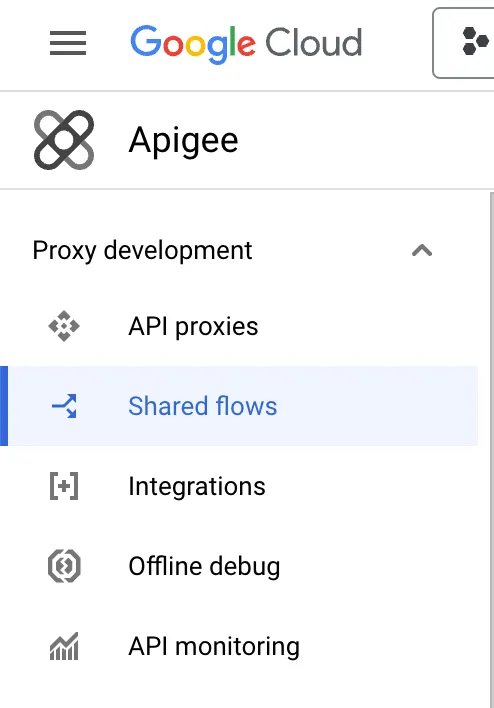
2. Click on the left menu in the Apigee main page screen > Proxy development > **Shared Flows**.
3. Click on **Upload Bundle**.\
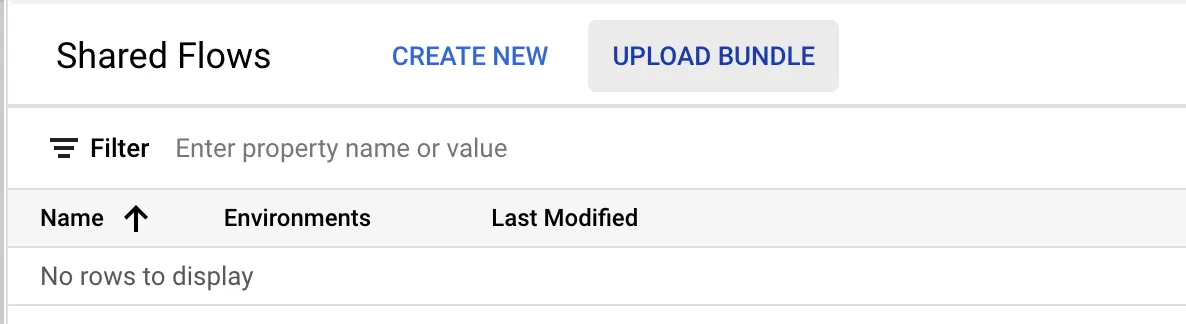
4. Upload the three provided zip files one at a time.
## Configure the HUMAN Enforcer
The HUMAN Enforcer must be configured with a minimum of an application ID, authentication token, and cookie secret. The configuration can be found in the `preflow-enforce` Shared Flow Bundle, inside the `JS-ConfigureAndInitialize.xml` policy.
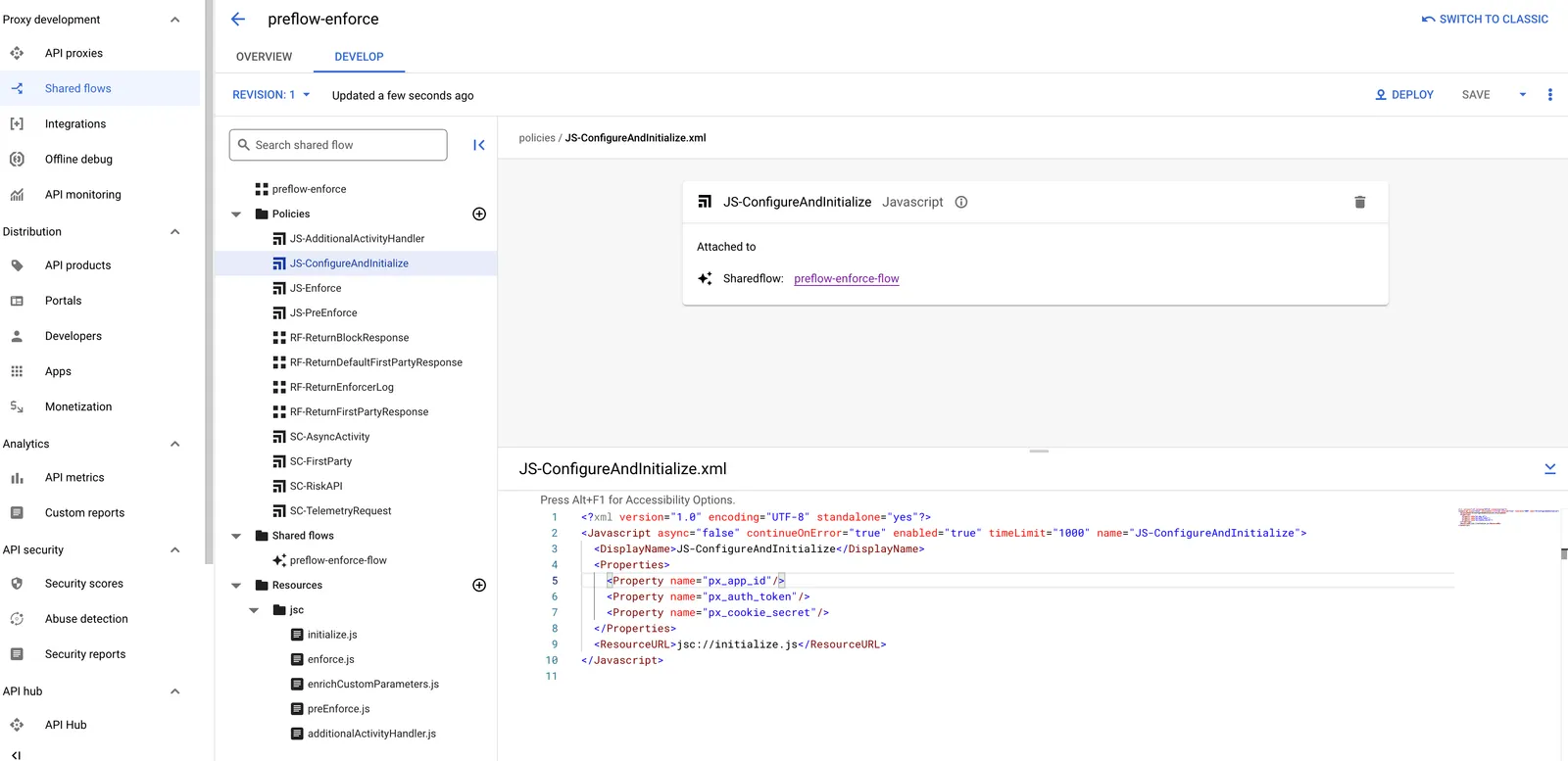
All configurations (other than custom functions) should be added as properties to this policy.
## Integrate the HUMAN Enforcer
The HUMAN Enforcer Shared Flow Bundles uploaded in the previous section can now be invoked via the [FlowCallout policy](https://cloud.google.com/apigee/docs/api-platform/reference/policies/flow-callout-policy) in any API Proxy or even in another Shared Flow. Follow the steps below to integrate the HUMAN enforcer using FlowCallout policies.
1. Select the the API Proxy or Shared Flow you would like to add the HUMAN enforcer to and click on the Develop tab.
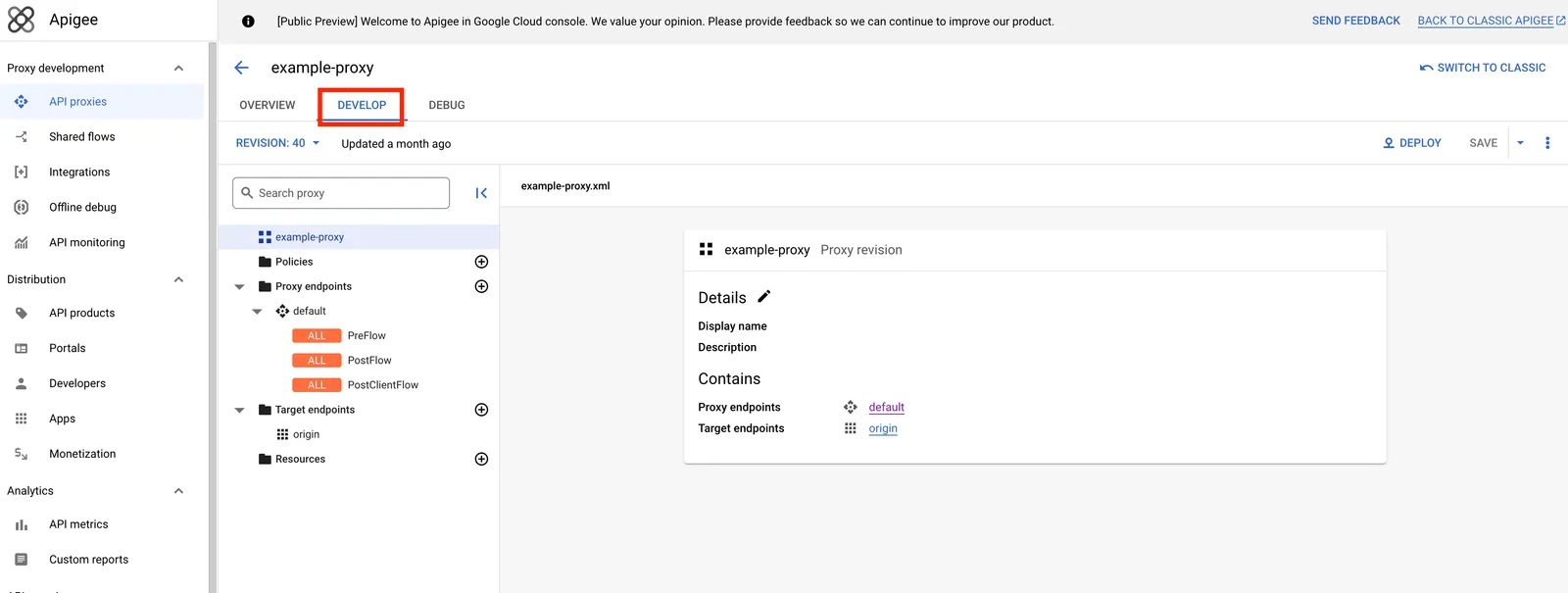
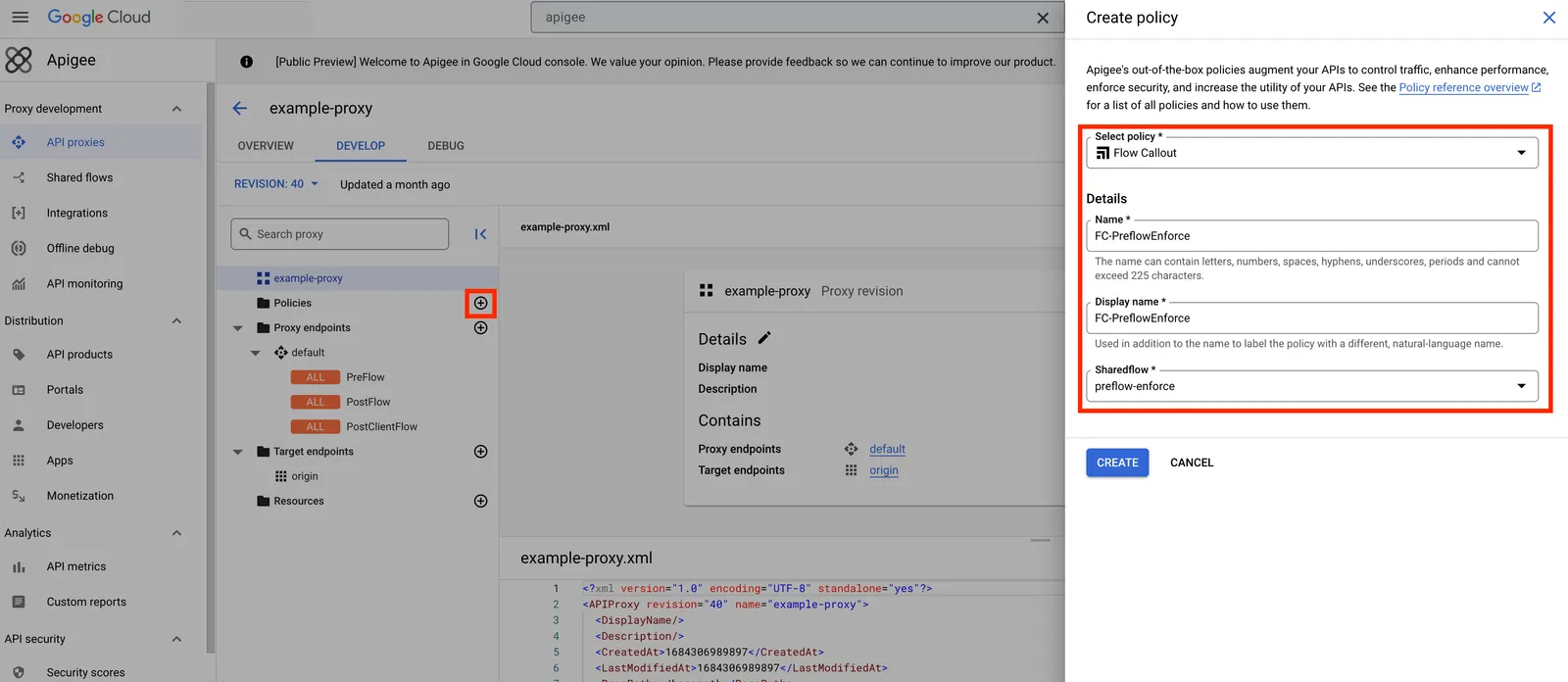
2. Click on the plus sign (+) next to the Policies folder to add a new policy. Select Flow Callout as the policy type. Name the policy `FC-PreflowEnforce`, select the `preflow-enforce` shared flow from the drop down, and click **Create**.
3. Repeat the previous step for the `postflow-enforce` and `postclientflow-enforce` shared flows. The policies should be named `FC-PostflowEnforce` and `FC-PostclientflowEnforce`.
4. Verify that the XML files for the three new Flow Callout policies created in Steps 2-3 look like this:
**FC-PreflowEnforce.xml**
```xml
FC-PreflowEnforce
preflow-enforce
```
**FC-PostflowEnforce.xml**
```xml
FC-PostflowEnforce
postflow-enforce
```
**FC-PostclientflowEnforce.xml**
```xml
FC-PostclientflowEnforce
postclientflow-enforce
```
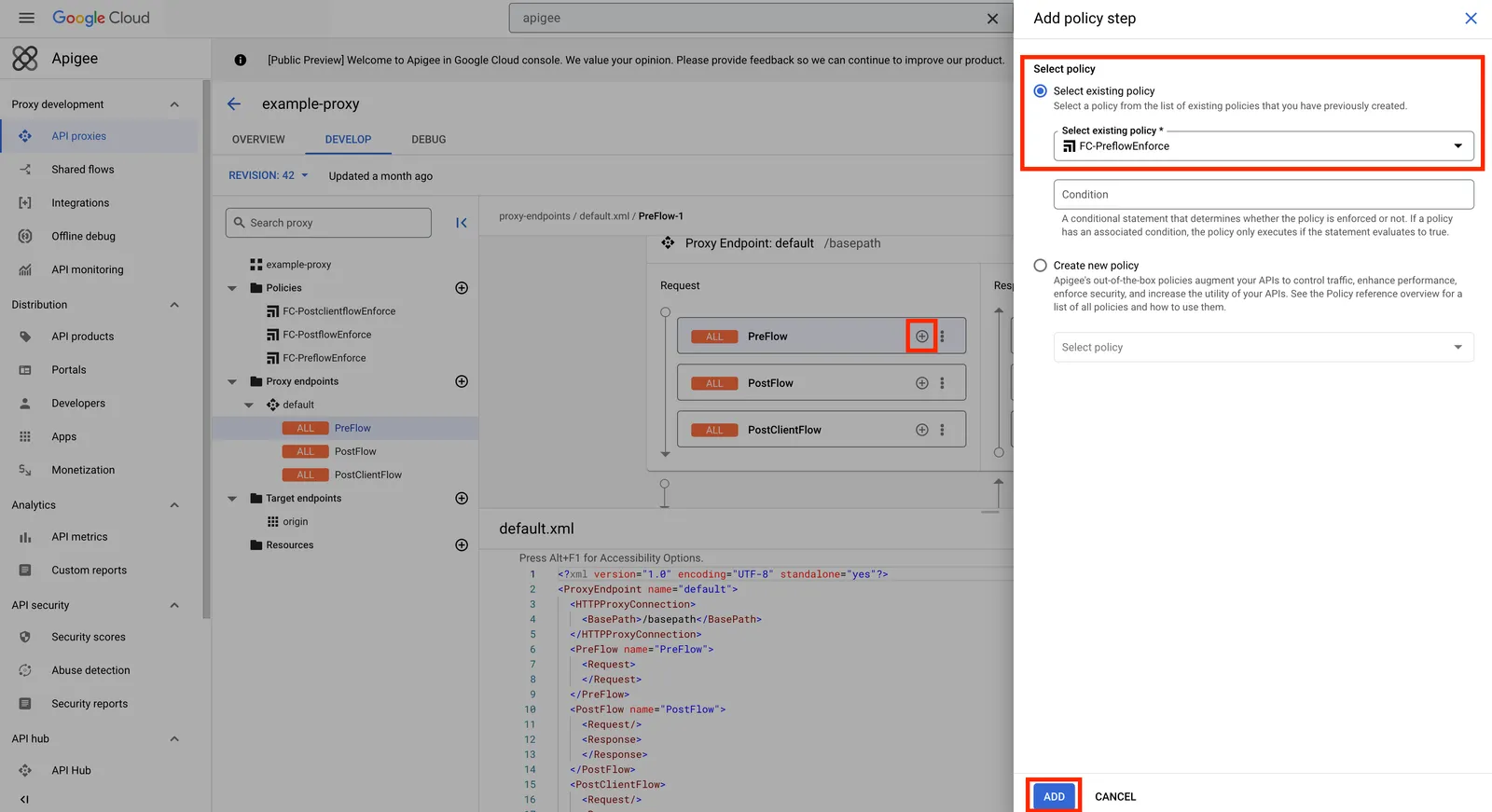
5. Click on the Proxy endpoints folder. Click on the plus (+) sign next to the Request PreFlow section to add a policy step. Select the existing `FC-PreflowEnforce` policy and click **Add**.
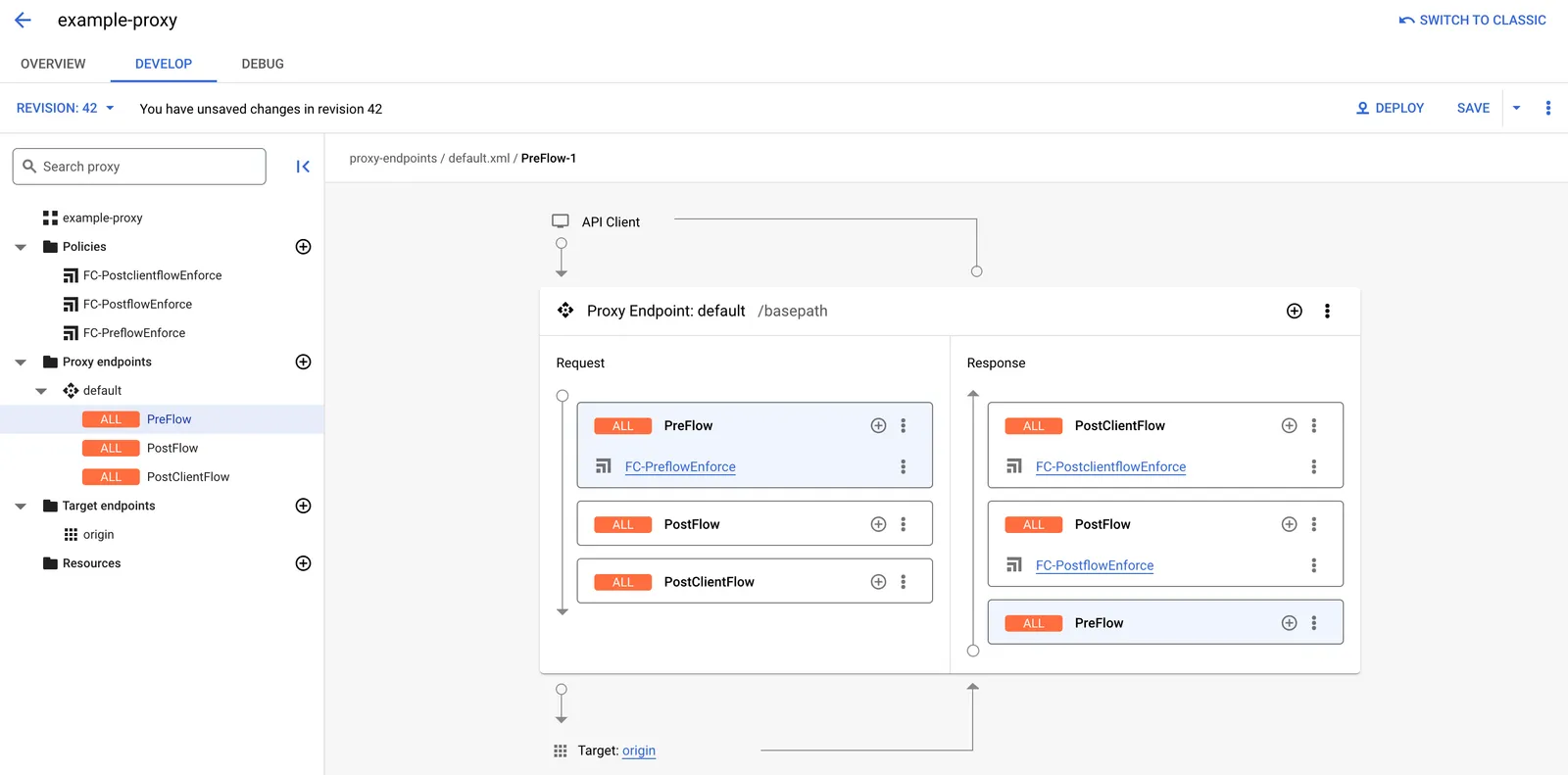
6. Repeat the previous step for the `FC-PostflowEnforce` and `FC-PostclientflowEnforce` policies. These should be added to the Response PostFlow and Response PostClientFlow sections, respectively.
> **Notice**
>
> These FlowCallout policies should be the very first step in each of their sections. All other policies should come as steps after these policies are invoked.
**Example Proxy Endpoint XML File**
```xml
FC-PreflowEnforce
FC-PostflowEnforce
FC-PostclientflowEnforce
/TEMP_PATH
default
```
> **A Note About Shared Flows**
>
> If you are adding these FlowCallout steps to a custom Shared Flow rather than an API Proxy directly, make sure that the Shared Flows are invoked in the proper sections (Request PreFlow, Response PostFlow, and Response PostClientFlow, as well.
### Flow Hooks
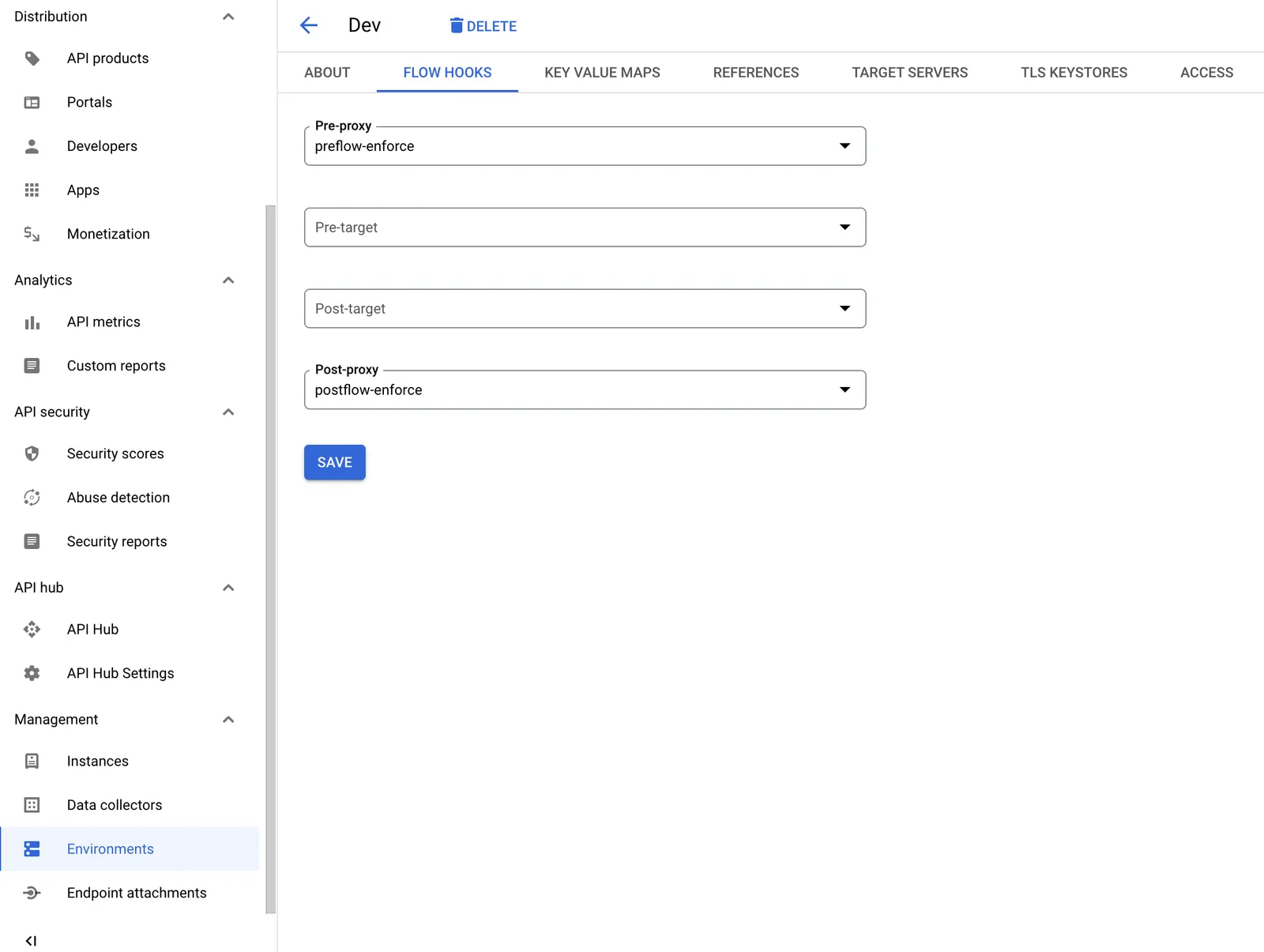
As with any Shared Flow Bundle, it is possible to trigger the `preflow-enforce` and `postflow-enforce` bundles as flow hooks in your desired environment. Rather than create and invoke the `FC-PreflowEnforce` and `FC-PostflowEnforce` policies as described above, you can simply select the two Shared Flow Bundles as Pre-proxy and Post-proxy hooks, respectively.
However, since there is no flow hook for the PostClientFlow, the `postclientflow-enforce` Shared Flow Bundle must still be triggered on all applicable API Proxies via a FlowCallout policy (`FC-PostclientflowEnforce`) as described above.
### Handling 4xx and 5xx Target Endpoint Responses
By default, 4xx and 5xx responses from the target endpoint trigger Fault Rules. It's important to ensure that the PostflowEnforce Flow Callout policy is still invoked in these cases. Failing to do so may affect the detection effectiveness and Credential Intelligence capabilities.
If you have any Fault Rules in your flow, the HUMAN PostflowEnforce Flow Callout policy must be called in all relevant Fault Rules. After **every** FaultRules section in your flow, add the HUMAN PostflowEnforce Flow Callout policy as a DefaultFaultRule:
```xml
...
FC-PostflowEnforce
true
```
Alternatively, these 4xx and 5xx codes may be added as success codes to the [TargetEndpoint configuration](https://cloud.google.com/apigee/docs/api-platform/reference/endpoint-properties-reference#targetendpointtransportpropertyspecification) to avoid triggering the Fault Rules entirely.
```xml
EXAMPLE_URL
1xx,2xx,3xx,4xx,5xx
```